Dungeon
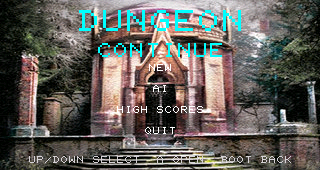
A three-floor generated adventure
Dungeon combines procedural world generation, room artwork, exploration, traps, treasure, shops, turn-based combat, player progression, persistent saves and an automatic AI player.
This overview follows the current firmware structure. The linked detail pages contain expandable diagrams and protected reference listings for every Dungeon C module.
From the main loop to the screen
- Select Dungeon
main.cdetectsSCREEN_DUNGEONand callsstartDungeon(). - Handle controls
dungeonAction()receives primary, map, status and context actions.dungeonAIControl()handles AI speed changes. - Advance the active state
updateDungeon()handles joystick movement, AI decisions, image decoding and timed state work. - Draw the current screen
drawDungeon()selects the start menu, room, map, status, reward, shop, combat, completion or history presentation. - Leave Dungeon
stopDungeon()commits played time and ends the active session when the menu changes.
Controls entering the module
| Control | Dungeon input | Typical role |
|---|---|---|
| Joystick | X/Y offsets | Move through rooms or change the selected choice. |
| A or K | Primary action | Confirm a menu, combat, shop or progression choice. |
| B | Map action | Open or change the map view where the current state permits it. |
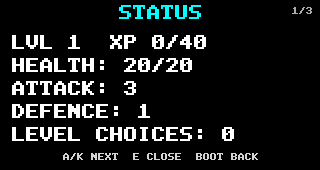
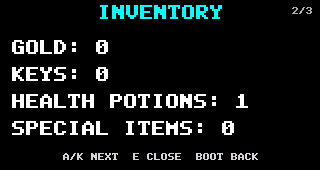
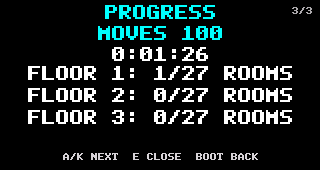
| C | Status action | Open the status, inventory and progress pages. |
| D | Context action | Use the state-specific extra action. |
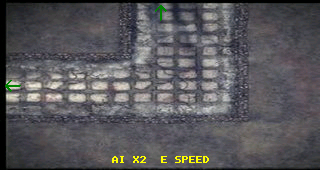
| E | AI speed action | Cycle the automatic player's speed. |
State machine
The core module keeps presentation and input handling explicit with fourteen states:
Room movement can lead to a trap, locked door, encounter, reward, stair/shop interaction or completion. Each result returns through an explicit state rather than an inferred runtime path.
Exploration and events
- Choose a valid exit
The current cell's exit mask and the destination bounds determine whether movement is possible.
- Load destination artwork
dungeon_tiles.cresolves the generated cell type, exits and variant into a tile image path. - Persist the move
The player position, move count, explored map and play time are updated and saved.
- Resolve the room
Traps, locked encounters, enemies, keys and treasure select the next state.
- Return to exploration
After the result screen, the module restores the room view or advances floors through linked stairs.
Automatic player
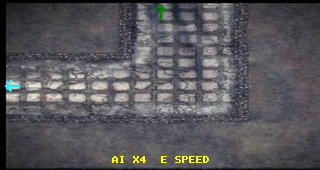
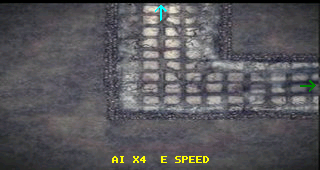
The AI searches the generated world for useful destinations, queues a route through neighbouring cells, chooses unexplored rooms or an uncollected key, handles shops and selects combat actions. The coloured arrows in the captures expose its chosen route, while E cycles the speed.
Module architecture
The Dungeon implementation contains 11 C modules and 199 functions, split by responsibility. Open a filename for its function diagrams and complete protected reference listing.
| Module | Functions | Responsibility |
|---|---|---|
dungeon.c | 70 | Owns the game state machine, player movement, room events, AI route selection, controls, screen updates and drawing. |
dungeon_combat.c | 7 | Creates encounters and resolves attacks, escape attempts, enemy turns and health-potion use. |
dungeon_config.c | 3 | Holds the tunable generation, reward, progression and combat rules used by the other Dungeon modules. |
dungeon_explored.c | 20 | Tracks which map cells have been visited and persists the exploration record with validation and checksums. |
dungeon_files.c | 2 | Initialises the Dungeon resource folder and installs required files when they are missing. |
dungeon_generator.c | 24 | Builds the three procedural floors, rooms, passages, stairs, events and treasures, then validates the result. |
dungeon_history.c | 23 | Stores, sorts and validates completed runs for the Dungeon high-score and history screens. |
dungeon_map.c | 2 | Owns and initialises the in-memory DungeonWorld structure shared by generation, play and storage. |
dungeon_player.c | 22 | Owns player statistics, saved progress, experience requirements, levelling choices and validation. |
dungeon_storage.c | 18 | Loads and saves generated worlds, serialises positions and cells, validates checksums and deletes run data. |
dungeon_tiles.c | 8 | Converts generated cell shapes and variants into artwork paths and validates the required tile files. |
Screen tour
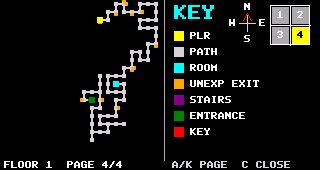
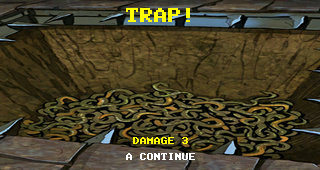
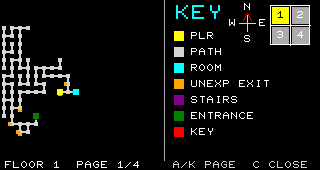
Reference-source notice
The source pages are documentation snapshots rather than build-ready downloads. Each complete listing starts with the JD credit and a deliberate #error line.