Asteroids game flow
Mini Arcade · Based on src/asteroids.c and its integration in src/main.c.
Screen captures
Views of this part running on the Mini Arcade.
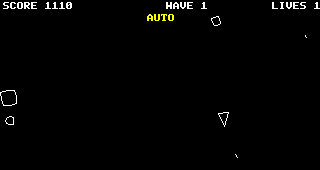
Overall game flow
Read from top to bottom. Branches describe the condition and where execution goes next.
- Open Asteroids from Games
startAsteroids()enters READY. - Choose PLAY or AUTOD / B / joystick changes the selected mode.
- A / K pressed?Wait on the selection screen until Start is pressed.
- Begin a new game
beginGame(): score 0, wave 1, three lives.
Centre the ship, give 2.5 seconds of protection and spawn three large rocks. - Read controlsUse player input or calculate AUTO steering, thrust and fire.
- Update gameplayRun available 10 ms simulation steps.
See the detailed flow below. - Draw the current gameRocks, bullets, ship, score, wave and lives.
- Still playing?Yes — PLAYINGLoop back to Read controls.No — FINISHEDShow GAME OVER for one second, then continue below.
- Which mode ended?AUTOReturn to Begin a new game automatically.PLAYOpen high-score entry. When complete, return to Choose PLAY or AUTO.
Other routes: C during AUTO play returns to READY and selects PLAY. BOOT leaves the game; stopAsteroids() cancels high-score entry and stops engine thrust audio.
Each 10 ms simulation step
simulateStep() advances movement, handles collisions and checks wave completion.
- Update timersReduce ship protection and firing cooldown.
- Update the shipRotate, apply thrust, limit speed and move.
Wrap movement around the screen edges. - Can the ship fire?If fire is requested, cooldown is clear and a slot is free:
create a bullet and start the 180 ms cooldown.
Otherwise continue without creating a bullet. - Move the rocks and bulletsRotate rocks and reduce bullet lifetimes.
- Check each bullet against active rocksHitRemove the bullet and rock. Add points. A large or medium rock splits into two smaller rocks.No hitContinue to the next bullet.
- Unprotected ship hits a rock?Yes — lives remainLose one life. Reset ship, restore protection and clear bullets. Return from this step.Yes — final life lostEnter FINISHED, stop thrust audio and award whole thousands of score as Gold. Return from this step.
If no ship collision occurs, continue to the wave check below.
- Any rocks remaining?YesReturn from this step.NoIncrease wave, clear bullets and spawn the next wave. Return from this step.
- Return to the update loopRun another step if enough accumulated time remains and the game is still PLAYING; otherwise draw.
Key game rules
| Rule | Current implementation |
|---|---|
| Rock points | Large: 20 · Medium: 50 · Small: 100 |
| Wave size | Three large rocks initially; increases to a maximum of eight. |
| Gold | Final score divided by 1,000, rounded down; saved to the player or AI balance. |
| AUTO control | Target the nearest rock. Turn and fire when aligned; turn away and thrust when danger is close. |
| Simulation | Fixed 10 ms steps; elapsed catch-up time capped at 100 ms per update. |
| Screen edges | Movement and collision distances both account for wrapping. |